


- The “Charging diagnostics (for charging issues),” currently part of “Battery diagnostics” in the “Pixel Troubleshooting” app, may become a separate feature.
- An analysis of the in-app code from the “Pixel Troubleshooting” app version v1.0.840396874.release update confirms that code for a standalone “Charging diagnostics” has been added.
- In the future, “Battery diagnostics” and “Charging diagnostics” may be listed as separate options.
Google Pixel devices from the Pixel 6 and later come with the “Pixel Troubleshooting” app, which manages various device performance diagnostic tools such as “Battery diagnostics,” “Mobile connectivity troubleshooting,” and “Touch diagnostics.”
Now, the “Charging diagnostics (for charging issues),” currently included within the “Battery diagnostics” feature of the “Pixel Troubleshooting” app, may become a standalone tool. An analysis of the in-app code from the “Pixel Troubleshooting” app version v1.0.840396874.release update, released on Tuesday, December 9, 2025, has confirmed the addition of code for a separate “Charging diagnostics” feature.
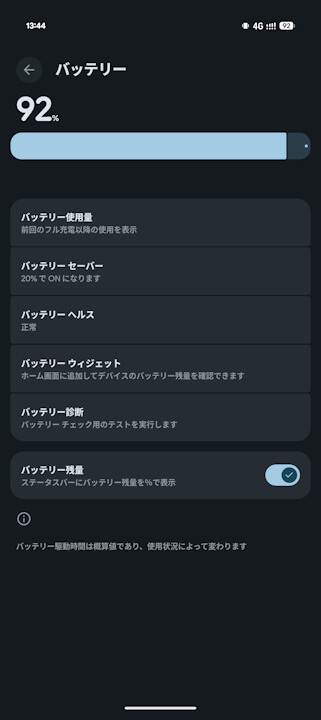
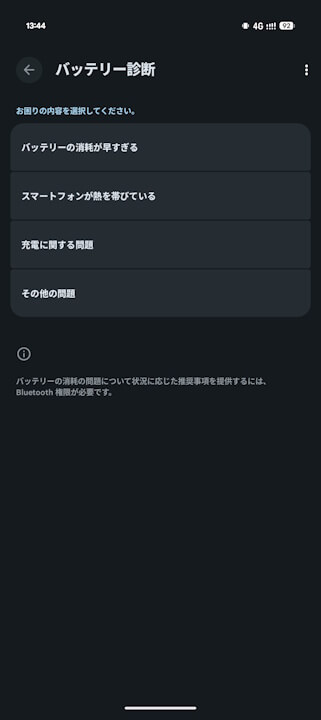
While “Charging diagnostics” was previously nested within “Battery diagnostics,” it’s possible that they will be listed as two separate options, “Battery diagnostics” and “Charging diagnostics,” in the future.
<intent-filter android:autoVerify="true">
                <action android:name="android.intent.action.VIEW"/>
                <category android:name="android.intent.category.DEFAULT"/>
                <category android:name="android.intent.category.BROWSABLE"/>
                <data android:scheme="http"/>
                <data android:scheme="https"/>
                <data android:host="g.co"/>
                <data android:path="/pixel/diagnostics-charging"/>
            </intent-filter>
            <intent-filter>
                <action android:name="com.google.android.apps.pixel.support.ACTION_CHARGING_DIAGNOSTICS"/>
                <category android:name="android.intent.category.DEFAULT"/>
            </intent-filter>
“Pixel Troubleshooting” App Link

コメントを残す